Your Meeting.ai agent does its best work when you hand it real tasks and let it run — here's how to brief it well.
Delegate, don't chat
A chatbot replies the instant you hit send. Your agent works differently: you hand it a task, it runs on its own computer in the cloud (see the agent's compute), keeps going in the background, and brings back finished work. So treat it like delegating to a capable teammate. State the goal, spell out the steps, and say what "done" looks like — the format, the sections, what to include. The clearer your brief, the closer the result lands to what you had in mind. People who already delegate well tend to thrive here.
Give it long, multi-step tasks
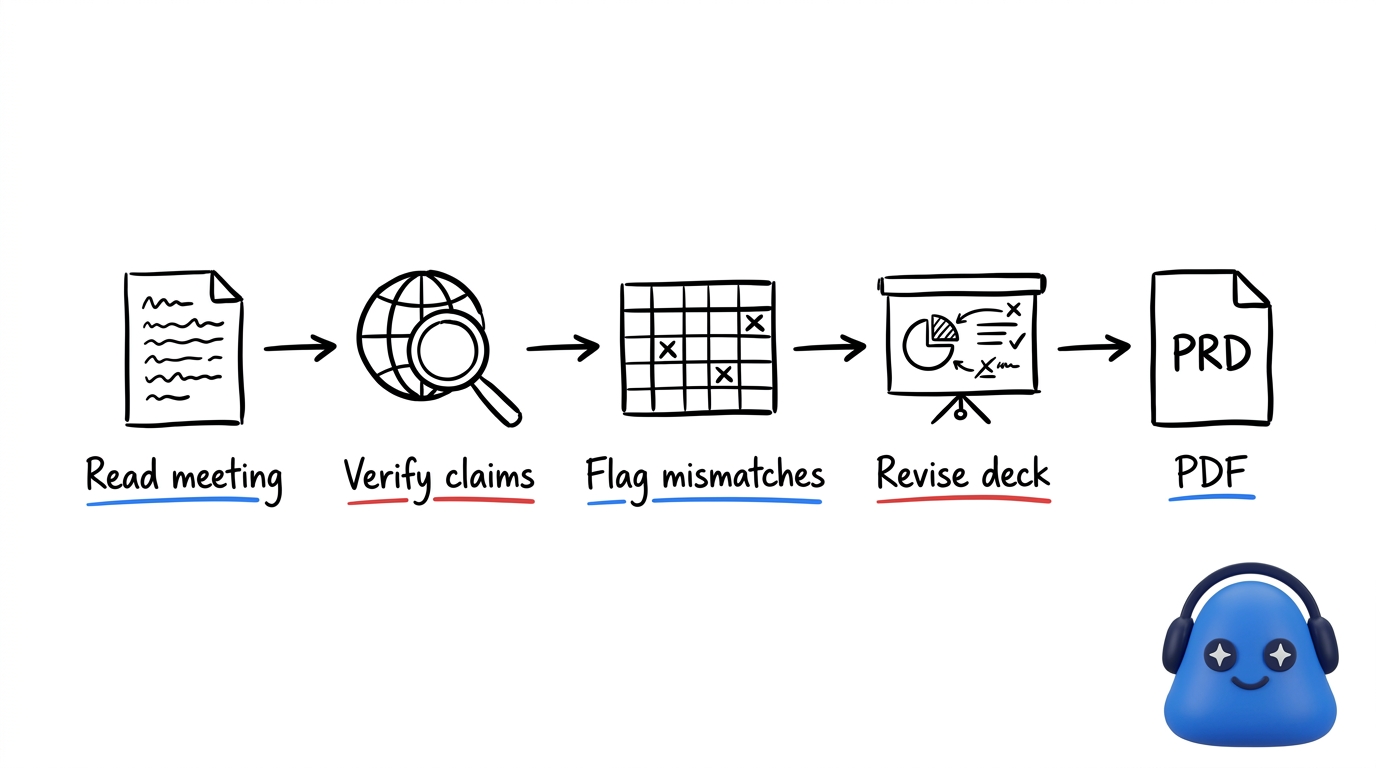
One request can chain into many steps and return several files. For example: "From my meeting with the product team, pull the key claims, verify them against publicly available information online, build a spreadsheet that flags anything that does not match, draft a slide deck of the revisions, and write it up as a PDF — a PRD."
The agent reads the meeting, researches online, and hands back the spreadsheet, the deck, and the PDF. You don't need to babysit each step — describe the whole job up front and let it work. See your agent for more on what it can take on.
Dictate your brief
Instead of typing, you can speak your instructions. Talking through a task lets you give a longer, more detailed brief with the context and nuance that make the output match your intent — a good fit for a complex delegation. On mobile, you can use voice to start a task.
One agent, many tools
Your agent brings its capabilities into one place. It can generate images, create voice and audio from text, transcribe audio to text, and search the web for research. It works across your meetings, transcripts, contacts, and files, and it produces slides, spreadsheets, documents, and podcasts. New capabilities arrive through the Skill Store. To give it more meetings to work from, record and upload or set up your first meeting.
Review before you rely on it. The agent does the heavy lifting, but always read its work — check the claims, the numbers, and the framing — before you send it on.