

Good meeting minutes get three things exactly right — the decisions, who owns each action and by when, and what was left open — and everything else is supporting detail; here is the format, a complete example, and how to produce the draft from a recording so nobody has to type during the meeting.
Start with the agenda and a named minute-taker. During the meeting, capture outcomes rather than every sentence. Before circulation, read each decision back as a firm statement, rewrite every task as owner + verb + deliverable + date, and place unanswered questions in their own section.
If writing while listening pulls you out of the discussion, record the meeting with everyone's knowledge. A transcript preserves the detail; an AI summary supplies the first structure; the minute-taker checks the facts and sends the approved record. That same process works for a project review, a committee meeting, or a weekly team check-in.
Minutes are successful when a colleague who missed the meeting can see what changed, what they must do, and what still needs an answer.
What are meeting minutes for, and how are they different from notes and a transcript?
Meeting minutes are the shared record of a meeting's decisions, commitments, and unresolved business; notes help an individual think, while a transcript preserves the conversation in sequence.
| Record | Main purpose | Who writes it | Formality | What goes in | When you need it |
|---|---|---|---|---|---|
| Meeting minutes | Establish the agreed record | Secretary, facilitator, or assigned minute-taker | Structured; formal when governance requires it | Decisions, action owners and dates, open items, attendees | Committees, boards, project governance, any meeting with accountable follow-up |
| Meeting notes | Help one person remember and work | Any participant | Personal and flexible | Ideas, context, reminders, questions, private observations | 1:1s, workshops, working sessions, personal preparation |
| Transcript | Preserve what was said and when | Recording and transcription tool | Verbatim or near-verbatim | Speaker-labelled, time-stamped speech | Fact-checking, finding an exact quote, producing a draft after the meeting |
Minutes should not imitate the transcript. “Ari asked whether the launch might move, and Nia replied that Finance needed another forecast” is discussion. “Decision: the launch stays on 15 September, subject to Finance approving the revised forecast by 4 September” is a usable record.
Personal notes can be candid because they belong to the writer. Shared minutes should be neutral. Record what the group decided, not who looked unconvinced or whose idea sounded weak. When a disagreement affects the outcome, describe the issue and resolution without editorial commentary.
What must meeting minutes contain?
Every set of minutes needs identification, attendance, agenda outcomes, decisions, action items, open questions, and next-meeting details, but the decision, owner/date, and open-question fields deserve the closest review.
Use this minimum set:
- Meeting name, date, time, location or call link
- Chair or facilitator, minute-taker, attendees, and apologies if the group uses them
- Agenda items in the order discussed
- Decisions written as complete statements
- Action items with one accountable owner and a deadline
- Open questions, dependencies, risks, or items carried forward
- Next meeting date, if agreed
Atlassian's 2024 survey of 5,000 knowledge workers found that 54% left meetings without clear next steps. The cure is not a longer narrative. It is a short action table that makes ownership and timing impossible to miss.
| Action | Owner | Due | Status or dependency |
|---|---|---|---|
| Send the revised launch budget to Finance | Maya Chen | 4 Sep 2026 | Needs final media quote |
| Confirm the support rota for launch week | Daniel Okafor | 7 Sep 2026 | Coordinate with Customer Success |
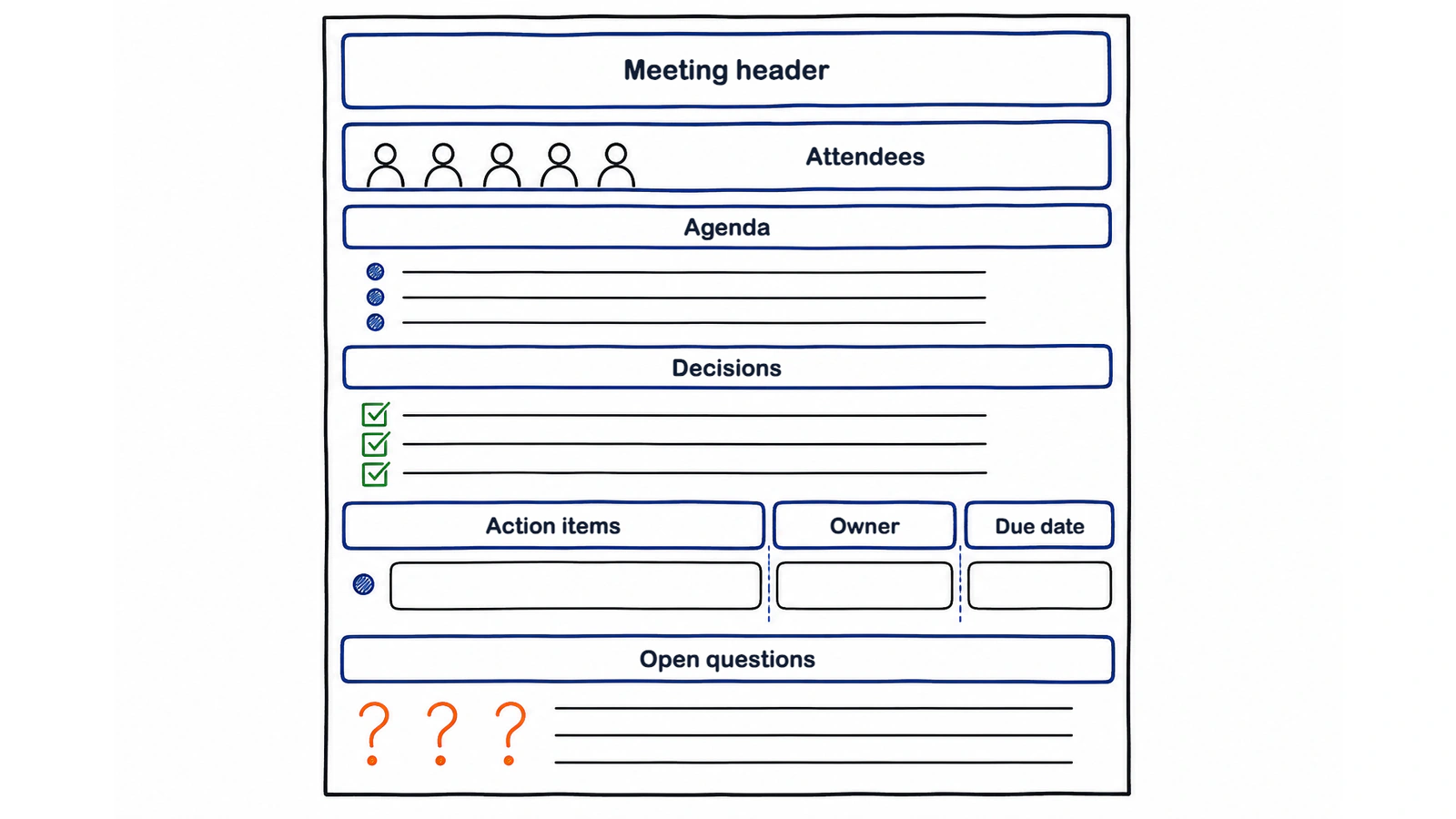
What is the standard meeting-minutes format?
The standard international format moves from meeting details and attendance to agenda items, decisions, action items, open questions, and approval or the next meeting.
Copy this text template into a document or your team's shared workspace:
MEETING MINUTES

Meeting:
Date and time:
Location / call link:
Chair / facilitator:
Minute-taker:
Attendees:
Apologies:

1. Agenda item
Discussion summary:
Decision:
Action: [Owner] will [verb + deliverable] by [date].

2. Agenda item
Discussion summary:
Decision:
Action:

Open questions / items carried forward:
-

Next meeting:
Approval / corrections due:
For a board or statutory committee, add the fields your rules require, such as quorum, declarations of interest, motions, proposer and seconder, vote results, and approval of the previous minutes. Do not add those fields to every project check-in merely to make the page look official.
Keep one source of truth. Give the document a stable name, such as Launch programme: weekly minutes, and use dated entries or version history. Participants should not leave with different files all called “final minutes.”
What does a complete meeting-minutes example look like?
A complete example turns a realistic 40-minute discussion into a short record with explicit decisions, actions, and unanswered questions.
MEETING MINUTES

Meeting: Atlas product launch — weekly review
Date and time: 28 August 2026, 10:00–10:40
Location: Meeting room 3 + video call
Chair: Nia Rahman, Product Lead
Minute-taker: Leo Martin, Programme Operations
Attendees: Nia Rahman, Maya Chen, Daniel Okafor, Priya Shah, Leo Martin
Apologies: Tomas Silva

1. Launch date and readiness
Discussion summary: Engineering expects the mobile release candidate on
2 September. Customer Success asked for 3 working days to review the help
content. No team reported a blocker that requires moving the public date.
Decision: Keep the public launch on 15 September 2026.
Action: Priya will publish the release candidate to the internal test group
by 2 September 2026 at 17:00.

2. Budget
Discussion summary: The current forecast is 8% above the working budget
because the media quote changed. Finance needs the revised channel split
before approving the additional spend.
Decision: Keep the total budget unchanged and move funds from print to paid
search, subject to Finance approval.
Action: Maya will send the revised budget and channel split to Finance by
4 September 2026 at 12:00.

3. Launch support
Discussion summary: Support coverage is confirmed for weekdays. Weekend
coverage and the escalation contact are not yet assigned.
Decision: Run extended support from 15–19 September; weekend coverage remains
open until staffing is confirmed.
Action: Daniel will circulate the named support rota and escalation path by
7 September 2026.

Open questions / items carried forward:
- Will Finance approve the revised channel split without reducing paid search?
  Owner: Maya. Answer due: 5 September 2026.
- Who covers support on 19–20 September?
  Owner: Daniel. Answer due: 7 September 2026.

Next meeting: 8 September 2026, 10:00
Corrections due: 29 August 2026, 17:00
Notice what is absent: a minute-by-minute replay, every suggestion that did not survive discussion, and the minute-taker's opinion. The budget percentage stays because it explains the decision. The exact wording of each side argument does not.
When a decision is conditional, write both the commitment and the condition. When the group makes no decision, say “No decision; return with cost options on 8 September.” Silence can otherwise look like approval.
How do I write action items people actually do?
Write every action item with four parts: [Owner] will [verb + deliverable] by [date].
The owner is one accountable person, even when several people contribute. The verb describes visible work. The deliverable tells everyone what “done” means. The date creates a point for follow-up.
- Before: “Follow up on budget.” After: “Maya will send the revised launch budget to Finance by 4 September.”
- Before: “Team to check legal.” After: “Jon will obtain Legal's approval of the recording notice by 6 September.”
- Before: “Website updates.” After: “Amira will publish the approved pricing copy on the staging site by 9 September.”
- Before: “Discuss support plan.” After: “Daniel will circulate the named support rota and escalation path by 7 September.”
- Before: “Research competitors.” After: “Luis will add a one-page comparison of the 3 shortlisted products to the decision pack by 11 September.”
Avoid assigning an action to “the team.” A group cannot answer a reminder. If Maya owns the budget with help from Luis, name Maya as owner and write “Support: Luis” separately.
Read the action table aloud before the meeting ends: “Maya owns the revised budget for 4 September. Daniel owns the rota for 7 September. Is anything missing or dated wrongly?” That brief check is easier than resolving conflicting memories later.
How do I take minutes without typing through the meeting?
Record with participants' knowledge, turn the recording into a transcript and structured summary, then have a named person verify the AI draft against the source.
- Tell the room you plan to record and obtain the consent required for the meeting. If you are unsure, use the safer default: ask everyone first. See the recording-consent guide.
- Record In-person from the Meeting.ai mobile app or browser, send the Meeting Bot to a supported online meeting, or upload an existing audio or video file. The recording guide covers capture and upload.
- Review the speaker-labelled, time-stamped transcript. Voice Match can label who said what after voices have been matched.
- Check the AI-Powered Summary for key points, decisions, and action items in the meeting's language.
- Ask Memo to create minutes in your organisation's format as an editable DOCX or PDF. Paste the required headings if your committee uses a fixed form.
- Verify names, numbers, dates, decisions, and action owners. Use the transcript to resolve ambiguity, then circulate the human-approved record.
AI should remove typing, not responsibility. It may mistake a suggestion for a decision or miss that “next Friday” means different dates in different time zones. The final minute-taker is the editor and accountable owner.
For a step-by-step workflow, read how to turn a voice recording into meeting minutes.
How do I circulate minutes so people read them?
Send the minutes within 24 hours with decisions and action items in the email body, then link the full record and attach a one-page Visual Note for quick scanning.
Use a subject line that says what the recipient will find: Atlas launch — decisions and actions from 28 August. Do not send a bare attachment called minutes-final-v2.docx.
Subject: Atlas launch — decisions and actions from 28 August
We kept the 15 September launch date and held the total budget. Maya owns the revised budget for 4 September; Daniel owns the support rota for 7 September. Please send corrections by 17:00 tomorrow. Full minutes and the Visual Note are attached.
A 2022 Otter.ai/Steven Rogelberg survey of 632 employees found that 71% said timely, high-quality notes would let them skip more meetings. That makes the record useful before the next invitation is sent: people who only need the outcome can read it instead of attending the recap.
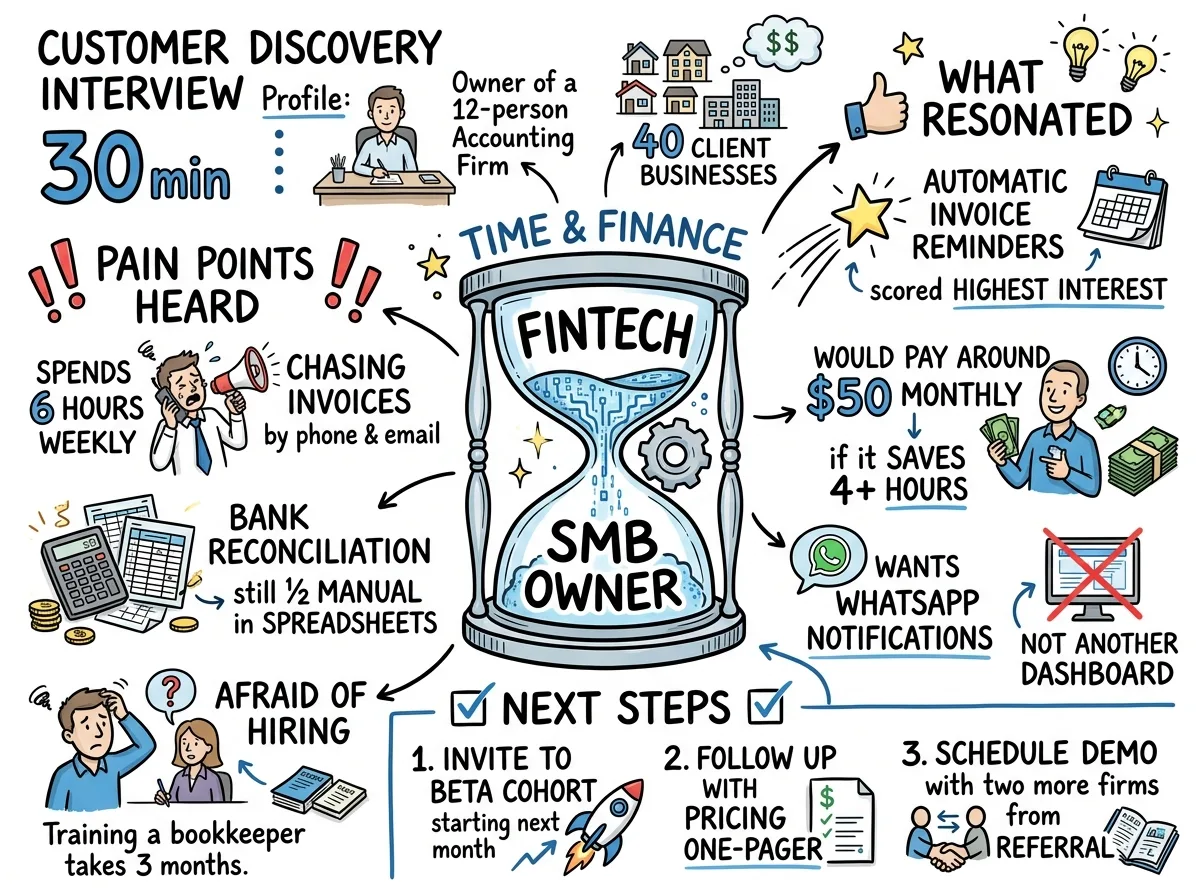
Ask for corrections, not vague feedback. State a deadline and what happens after it: “Please correct names, decisions, or action dates by 17:00 Friday. After that, this version becomes the agreed record.” For formal meetings, follow the required approval process instead.
What common meeting-minutes mistakes should I avoid?
The most damaging mistakes are treating the transcript as minutes, leaving actions ownerless, recording opinions as decisions, circulating too late, and creating competing copies.
- Pasting a transcript: Keep the transcript as evidence. Put only outcomes and necessary context in the minutes.
- Writing “team to follow up”: Give one person the action, one visible deliverable, and one date.
- Turning a proposal into a decision: Use “proposed,” “discussed,” or “no decision” until approval is explicit.
- Sending the record a week later: Aim for 24 hours while participants can still spot errors and act on deadlines.
- Keeping one file per participant: Use a shared source of truth with access control and version history.
- Polishing before checking facts: Verify names, figures, dates, votes, and commitments first. Style comes later.
- Hiding uncertainty: Put unresolved questions in a named section with an owner and review date.
Meeting.ai can create the transcript, AI-Powered Summary, Visual Note, and editable minutes draft from the same meeting. The named minute-taker should resolve corrections, mark the approved version clearly, and keep final approval with the person who understands the meeting and its obligations.