Compare the capture method first
A tool that works well for scheduled calls may not fit interviews in a room. Start with the meetings you hold each week, then compare languages, limits, and outputs. The vendor facts below were checked on October 17, 2026.
| Tool | Strong fit for | Capture note |
|---|---|---|
| Meeting.ai | In-person meetings, Visual Notes, and follow-up documents | Phone, browser, bot, uploads; bot-free calls via the phone |
| Otter | English-focused teams needing bot and desktop options | Phone, bot, and bot-free desktop |
| Fireflies | CRM and conversation analysis | Bot, phone, extension, desktop |
| Read AI | Meeting coaching and connected search | Bot, desktop, in-person apps |
| Granola | Writing notes alongside desktop capture | Bot-free desktop and mobile |
| Fathom | Starting with a broad recording allowance | Bot; bot-free Mac beta |
| Notta | Transcription plus file creation | Bot, desktop, phone, uploads |
| Plaud | A dedicated recorder | Hardware; desktop requires device |
Meeting.ai: a strong fit for in-person meetings, Visual Notes, and follow-up documents
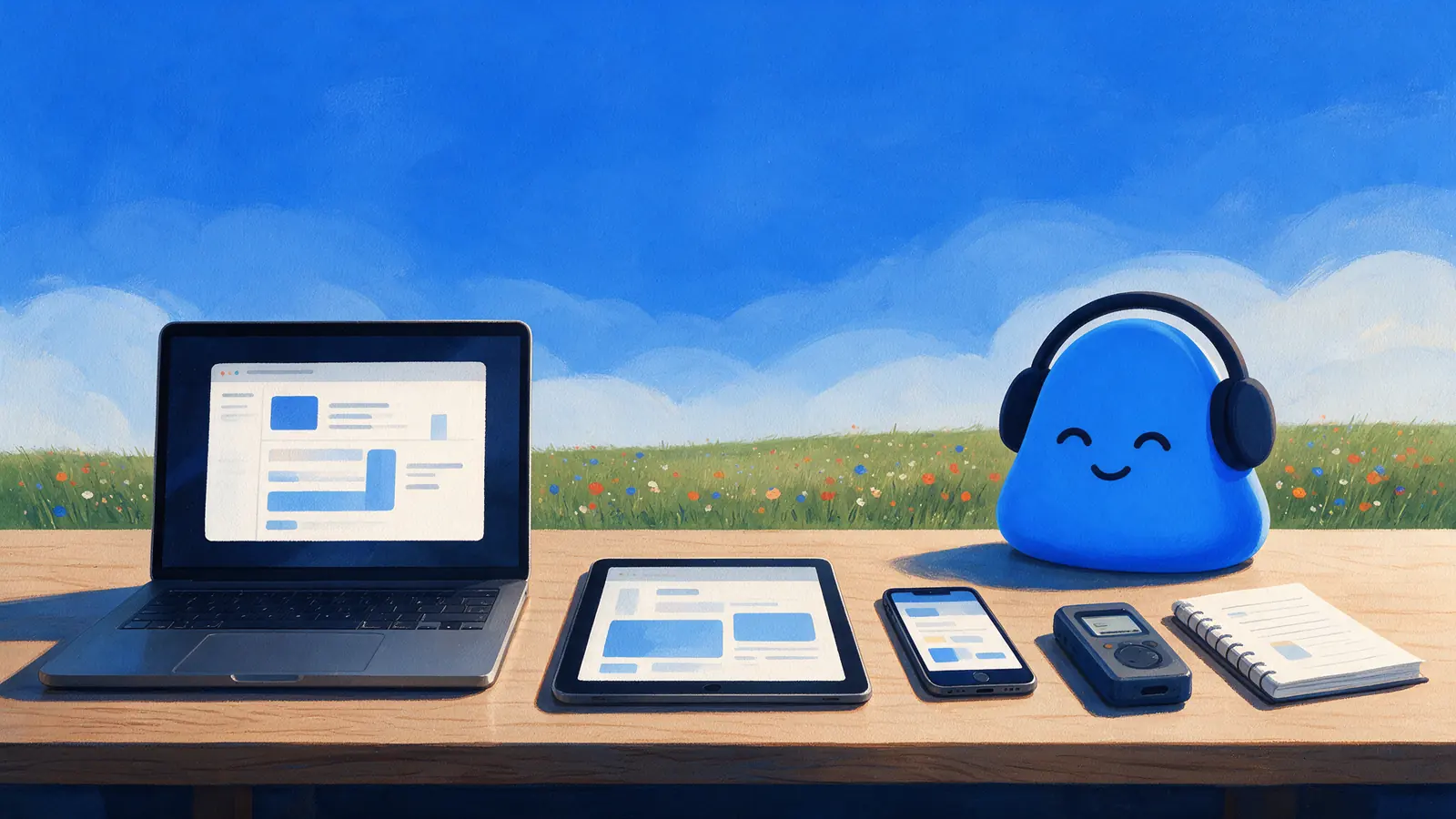
Meeting.ai records a room discussion on the phone you already carry, sends a Meeting Bot to Zoom, Google Meet, and Microsoft Teams, and accepts uploaded audio and video. To record an online call without a bot, place the phone app beside your laptop; there is no desktop app yet.
Its main difference comes after the meeting. Every meeting gets notes with decisions and action items and a one-page Visual Note: a hand-drawn summary of what was said and decided that you can understand at a glance and share with your team.
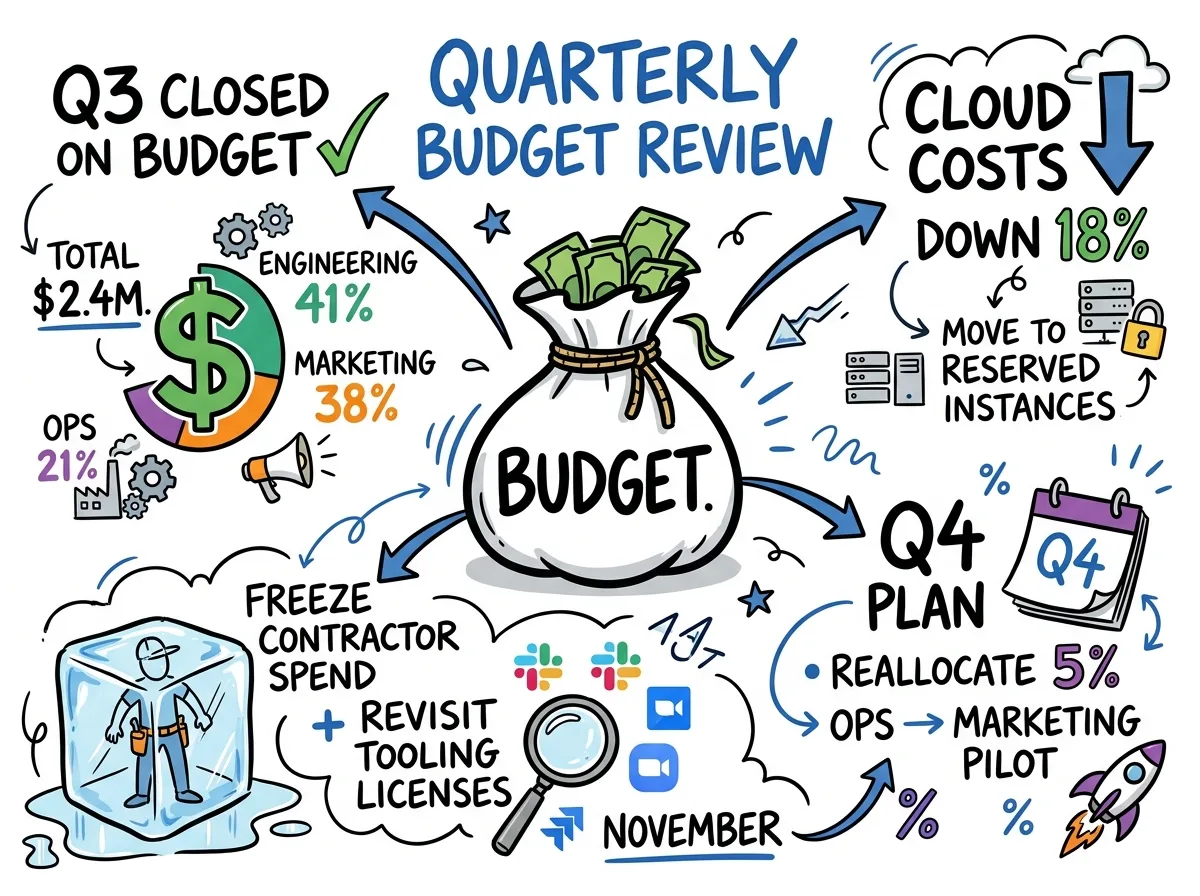
From the same conversation, Meeting.ai drafts editable PowerPoint decks, Word documents, Excel spreadsheets with live formulas, PDFs, and sourced research. Before the next meeting, it can prepare a brief and answer questions across your meeting history with the source.
Transcription is 95% accurate with speaker identification across 30+ languages. Meeting.ai connects to Claude and other assistants through MCP and to ChatGPT through the official plugin, and it is GDPR compliant. Monthly plans are available, and you can try your first meeting for free. Compare another option if a desktop recorder or broader language coverage is your main requirement.
Otter: for English-focused meeting workflows
Otter has bot capture for Zoom, Meet, and Teams, phone recording, and bot-free desktop capture on Mac and Windows. It lists six transcription languages: English, Spanish, French, German, Japanese, and Chinese. Basic includes 300 minutes per month with a 30-minute conversation limit, so check duration limits for longer calls.
Fireflies: for CRM and conversation analysis
Fireflies lists CRM auto-fill, ATS connections, conversation intelligence, and 100+ transcription languages. It records through a bot, mobile app, extension, or desktop app; the bot-free desktop mode does not save audio or video files. The free plan has limited summaries and 400 minutes of storage per team.
Read AI: for meeting coaching and connected search
Read AI combines meeting reports with a meeting coach and enterprise search. It supports bot-free desktop capture and a visible meeting assistant. The free plan allows five transcripts and reports per month, with a one-hour meeting limit. Its help center lists 35 languages for meeting reports, while its pricing page still says 20+.
Granola: for notes you write during the call
Granola enhances your own notes using the transcript. Its desktop app captures computer audio without a bot, and its phone apps support in-person notes. The free plan keeps 30 days of history. Desktop language support is 31 languages, compared with 17 on mobile. There is no meeting bot.
Fathom: for a broad recording allowance
Fathom lists unlimited recordings and transcriptions on its free plan, with some features marked limited use. It supports Zoom, Meet, and Teams, and bot-free capture is a Mac beta.
Notta: for transcription and file creation
Notta lists 58 transcription languages, bot-free Mac and Windows capture, phone recording, and uploads. Its Document Builder creates slides, Word, Excel, and PDF files using credits. The free plan's three-minute conversation limit is a significant restriction, and generation-language support differs from transcription support.
Plaud: for a dedicated physical recorder
Plaud suits someone who wants a separate device or wearable recorder. The mobile app is a companion to bound hardware, and Plaud Desktop also requires a device. Starter includes 300 transcription minutes per month with a device. Hardware adds an upfront cost, but a physical control may fit your habits.
Compare costs with the limits attached
As of October 2026, standard monthly-billed individual paid tiers include Otter Pro at $16.99, Fireflies Pro at $18, Granola Business at $14, Fathom Premium at $20, Notta Pro at $13.49, and Plaud Pro at $17.99 plus hardware. Read AI is not priced here; see its pricing page. Meeting.ai's monthly plan prices vary by country. Prices were checked when this article was published; confirm current pricing before purchasing. Annual billing and usage models differ.
Sources
FAQ
Which AI note takers record in-person meetings?
Meeting.ai, Otter, Fireflies, Read AI, Granola, and Notta list in-person capture through a phone or desktop app. Plaud records with dedicated hardware. Meeting.ai adds a one-page Visual Note and editable follow-up documents drafted from the meeting.
Can I record an online call without a bot?
Yes. Otter, Fireflies, Read AI, Granola, and Notta list desktop capture without a bot, and Fathom lists a Mac beta. With Meeting.ai, place the mobile app beside your laptop during the call; it has no desktop app yet.
Is Meeting.ai the only tool that makes documents?
No. Notta also lists creation of PowerPoint, Word, Excel, and PDF files using credits. Compare the output you need, the meeting context it draws on, and the allowance required to create it.
How do I try Meeting.ai?
Try your first meeting for free, then choose a monthly plan if it fits. Plans are Intern, Manager, and Director, with prices that vary by country.
Turn your meeting into work
First meeting free